HVAC AI Receptionist Case Study: A Phone Agent and 31 Workflows
Case study of an AI phone receptionist and a 31-workflow GoHighLevel CRM built for an HVAC company in California: what I built, what broke, what I would change.
By Carlos Familia, CRM & AI automation expert. Updated . 7 min.
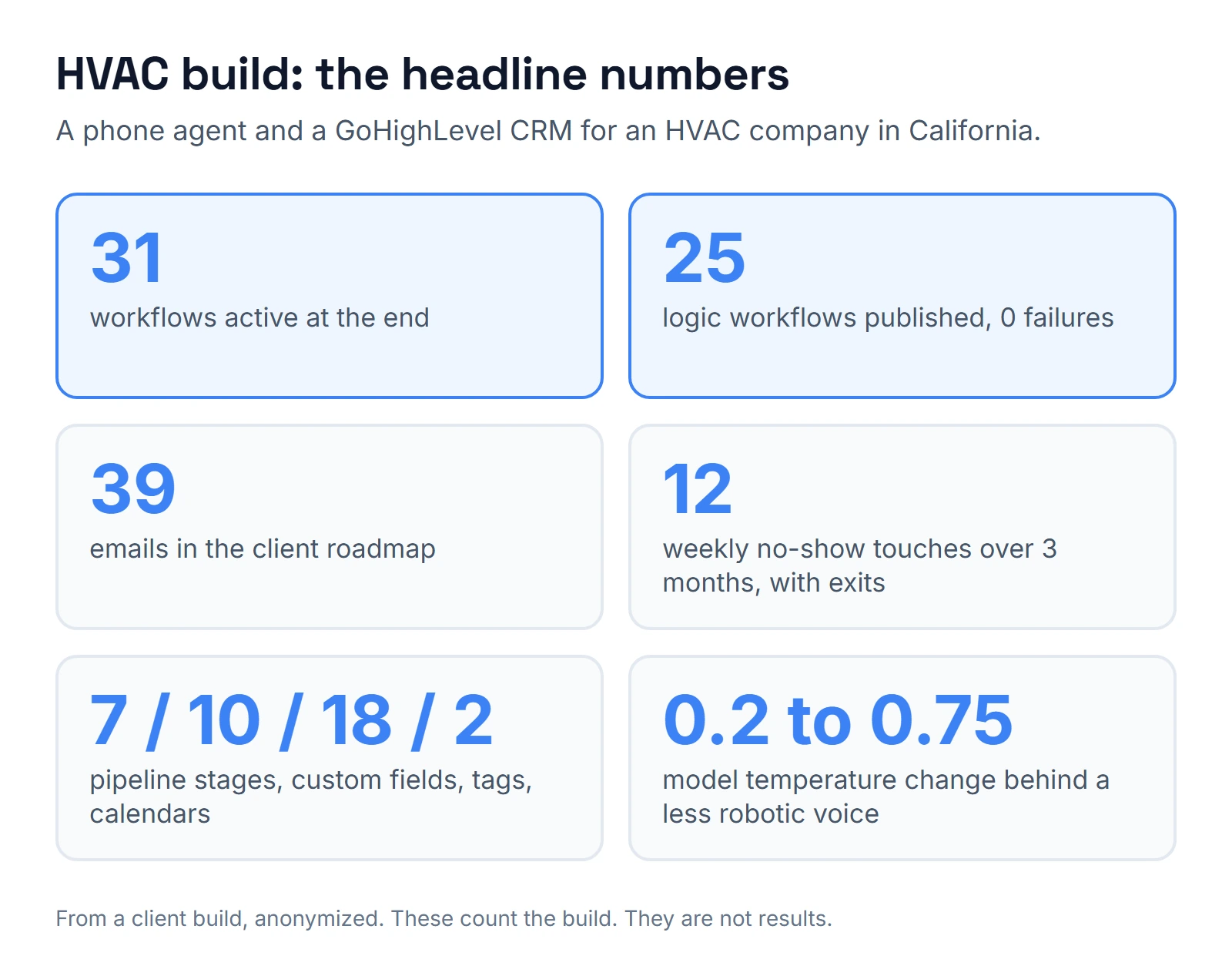
- 31 workflows active in GoHighLevel at the end
- 25 logic workflows published with 0 failures
- 39 emails in the client roadmap
- 7 pipeline stages, 10 custom fields, 18 tags and 2 calendars
- 0.2 to 0.75: the model temperature change behind a less robotic voice
- 12 weekly no-show touches over 3 months, with exits
What was the situation?
An HVAC company in California needed its calls answered and booked, and then a CRM that was not empty. I started with the phone. A caller reaches an AI receptionist on a local number, and the receptionist books the service request onto a dispatch board.
The CRM came second. Until it existed, there was no automated follow-up for a homeowner who didn't book. This case study covers both halves, including what went wrong. If you want the wider setup around it, the HVAC CRM guide explains where GoHighLevel fits next to field service software.
Why that order? Calls were the first need the company named, so the receptionist went first and the CRM filled in behind it. In another business I might reverse it. If your phone is already covered and your pain is estimates that go quiet, start with the follow-up workflows instead.
What did I build?
The phone agent
The receptionist runs on Retell. It answers on a local number and books service requests onto a dispatch board, which is a kanban view where every call keeps its transcript and recording. Anyone in the office can open a card and read what the caller said.
The first version sounded too robotic. I raised the model temperature from 0.2 to 0.75, and I turned on backchannel, the small "mm-hm" replies while the caller talks. Backchannel was the biggest single improvement.
From other voice builds I know two more settings that make an agent sound mechanical: a voice that doesn't match its model and provider, and an empty voice model field. They are worth checking first when a client says "it sounds like a robot". The mechanics behind this kind of agent are in how AI receptionists work.
The CRM foundation
I kept the GoHighLevel foundation small: a 7-stage pipeline, 10 custom fields, 18 tags and 2 calendars. The work was in the workflows on top.
The logic workflows
- Call cadence. Up to 6 attempts on a lead who doesn't pick up, so unanswered leads get a defined series of tries.
- Estimate follow-up. A "sequence lock" field marks which sequence currently owns the contact, so two sequences never collide. Picture an estimate reminder and a no-show message both due on day three. The lock keeps them from both landing on the same homeowner.
- One workflow per objection reason. Each reason a customer gives for not buying gets its own path, so "too expensive" and "not until spring" can get different follow-ups.
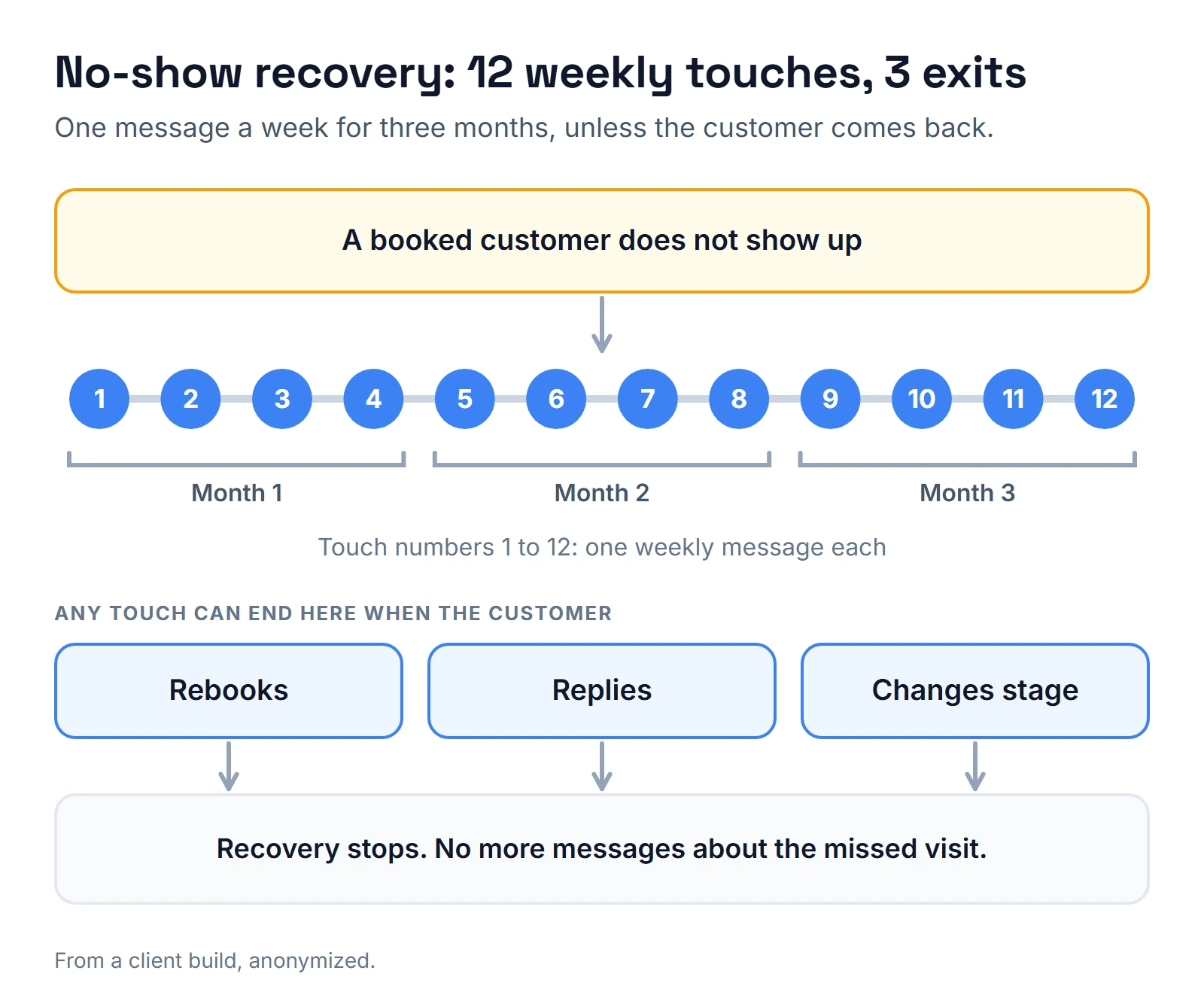
- No-show recovery. Weekly for 3 months, 12 touches in all. It stops when the customer rebooks, replies or changes stage. Those three exits matter as much as the touches: without them, a customer who rebooked in week two would still get messages for ten more weeks.
- Referral ask and reward. A request for referrals, with a reward step.
- Maintenance tune-up cycle. A reminder loop for past customers.
- Review handling. Thanks for good ratings, and a service recovery path for bad ones.
How I tested it
Before calling the build done, I ran an end-to-end test with an isolated test contact. That is a fake contact set to do-not-disturb, so no real customer receives a test message. I walked each path, then read the execution logs instead of assuming a successful publish meant a working workflow.
Waits are the awkward part, because a 3-month no-show sequence can't be tested in real time. I skip the waits during testing and read what each step did. Two details from the logs are worth knowing. GoHighLevel keeps writing "success" rows while a contact is still waiting, so the newest row is not the contact's real state. And a premium step can be skipped with no error when the wallet is empty; the reason only shows in that step's details. How I test GoHighLevel workflows explains the method. On voice builds, the QA tool I use for receptionists (another AI agent that calls and grades them) costs about $1.80 per phone test run and $0.23 per text run.
What happened?
I published 25 logic workflows with 0 failures, and 31 workflows ended up active in total. The client roadmap lists 31 live workflows and 39 emails, so the owner can see everything that runs.
Here is what each headline number counts, and what it can't tell you:
| Number | What it counts | What it does not tell you |
|---|---|---|
| 31 | Every workflow active at the end | How many customers it reached |
| 25 | Logic workflows published, with 0 failures | Whether the copy converts |
| 39 | Emails in the client roadmap | Open or reply rates |
| 7, 10, 18, 2 | Stages, fields, tags and calendars | Whether the pipeline matches how the crews work |
| 0.2 to 0.75 | The temperature change | How callers rate the call |
| 12 | Weekly no-show touches | How many no-shows came back |
Several things broke along the way:
- Re-entry. My build tool defaulted to no re-entry, which would have blocked returning customers. HVAC customers come back every season.
- Wait names. Waits were named "1440 minutes", which annoyed the client when they opened the builder.
- Garbled characters. Em dashes turned into broken symbols as they passed through a proxy. All the copy went plain ASCII.
- A duplicate workflow. Renaming a workflow through a tool that matched by name created a second, published copy.
- The texting registration was rejected. The codes were 30909 and 30891. In HighLevel's rejection guide, the first sits in the opt-in and consent group and the second in the website group. I kept the SMS steps in the build, parked, and put email first.
What happens next is set by HighLevel: every rejection reason opens a list of required fixes, all of them have to be corrected, and only then does the campaign go back for review.
Here is what I don't know, and won't invent. I have no call volume, booking count or revenue figures from this client. My records don't say what triggered the two codes on this account, or whether the registration was approved later. The numbers above prove the build was complete and tested, not that it produced a given result.
The GoHighLevel A2P 10DLC guide explains what each code means and the checks I run before a submission. If you want a lighter first step while you wait, a missed call text back catches unanswered calls once texting is approved.
What it costs to run
This post doesn't cover what the project itself cost. The running costs are public.
HighLevel's pricing page lists plans at $97, $297 and $497 a month, with email, SMS, calls and AI agents billed by usage on top. Retell's pricing page lists $0.07 to $0.31 per minute for voice agents, and says billing covers silence and hold time. Your real number depends on call volume, which is the one figure I'm missing for this client. AI receptionist cost goes through the per-minute math.
What would I do differently?
- Plan email-first from day one. Here it came after the rejection. It works as a fallback, but it should be the plan from the start, with SMS switched on once texting is approved.
- Set re-entry on for recurring workflows from the start. Anything customers repeat each season needs it.
- Name waits in days and keep copy in plain ASCII. Both are small, and both are easy to get right at the start.
- Work by workflow ID, not by name. Name-based tools can create duplicates when a name changes.
- Record a baseline before building. Call volume and bookings before and after would turn this from a build report into a result.
- Write the follow-up limits down before building. How many tries an unanswered lead gets, when estimate follow-up stops, and how long a no-show is recovered. None of that needs an AI agent. The receptionist solved the call itself; the workflows solve what happens when the homeowner doesn't book.
If you want a pre-built HVAC starting point, the HVAC Automation Pack ($22) puts the system from my HVAC demo account into your own account as a GoHighLevel snapshot. And if you want someone to check an existing build, the hiring checklist lists what I would ask any builder.
About the author

Carlos Familia, CRM & AI automation expert. GoHighLevel, n8n, AI agents, servers. Full-stack developer.
I build CRM systems in GoHighLevel, n8n automations on my own servers and AI voice and chat agents for service businesses. Full-stack developer: I write the workflow, the API integration, the database and the server it runs on, and I test every build with real journeys before handoff.
Book a call with Carlos
In 30 minutes we look at how you get customers today and what to automate first. Pick a time · contact@bluemiraisystems.com