HVAC CRM on GoHighLevel: What I Set Up for HVAC Companies
HVAC CRM or field service software? A step-by-step setup using GoHighLevel next to ServiceTitan, Jobber or Housecall Pro, from a real HVAC job in California.
By Carlos Familia, CRM & AI automation expert. Updated . 10 min.
An HVAC company in California wanted its calls answered and booked before anything else, so I started with the phone. I built an AI receptionist on a local number that puts each service request on a dispatch board, with the call's transcript and recording attached.
The calls were covered. The CRM behind the receptionist was empty, so nothing in it followed up with a homeowner who didn't book. The rest of the build filled that gap.
What did that job teach me about an HVAC CRM?
An HVAC company needs two layers. The first is field service software (ServiceTitan, Jobber or Housecall Pro) for dispatch, estimates and invoices. The second is a CRM like GoHighLevel for everything between the first call and the next tune-up: lead response, estimate follow-up, no-show recovery and reviews.
A small crew can start with the first layer alone and add the second when follow-up becomes the bottleneck. The steps below are the order I'd do it in. Prices and features come from each vendor's own pages, which I read on October 14, 2026.
Step 1: Split the jobs between your field software and your CRM
Start by deciding what each tool owns. The middle column is what the vendors say on their own sites. The right column is how I use GoHighLevel.
| Job | ServiceTitan, Jobber, Housecall Pro | GoHighLevel (how I use it) |
|---|---|---|
| Scheduling, dispatch, technician app | Core feature of all three | I don't rebuild it |
| Estimates, invoices, payments | Core feature of all three | I don't rebuild it |
| Reminders, review requests, past-customer campaigns | Listed by all three, at different depths | Core feature, I design the logic |
| Branching follow-up (why they said no, when to retry) | Quote and invoice follow-ups, follow-up campaigns | Waits, branches, tags and pipelines |
| AI answering | Jobber Receptionist; ServiceTitan lists an AI Virtual Agent | Built-in AI agents, or a Retell agent wired in |
ServiceTitan's HVAC page describes one platform for scheduling, dispatching, work orders and billing, with GPS technician tracking, SMS notifications, financing options and a customer payment portal. It also lists proposals, service agreements, a CRM and marketing software, and its menu offers Pro add-ons such as Marketing Pro, Pricebook Pro and an AI Virtual Agent. It shows no prices and sends you to a demo request.
Housecall Pro's HVAC page lists a drag and drop calendar, dispatch from a live map, a price book, good, better and best proposals with maintenance agreements, tune-up reminders, follow-up campaigns for past customers, automatic review requests and a job inbox for leads from Google, Angi and Thumbtack. Its plans are Basic, Essentials and MAX. The page shows promotional prices and a monthly or annual toggle, so read the current figure there.
Jobber's HVAC page describes automatic confirmations, reminders, and quote and invoice follow-ups, plus review requests, referral tracking, email campaigns for seasonal tune-ups and Jobber Receptionist, which answers calls and texts customers. It lists Zapier among its integrations and shows no prices, only a free trial and a demo.
Those are real marketing features. If the reminders and review requests inside your field tool are enough, you don't need GoHighLevel, and I'd tell a client so.
My rule of thumb:
- Start with field service software if your pain is scheduling, dispatch or getting paid.
- Add GoHighLevel if your pain is leads going quiet: missed calls, estimates that never close, customers who don't come back for maintenance.
- Skip GoHighLevel if the follow-up built into your field tool already does the job.
Step 2: Answer every call before you build anything else
The receptionist came first because unanswered calls are the cheapest leaks to find. This one runs on Retell and books service requests onto the dispatch board.
Its first version came across as robotic. The voice tuning that fixed it (a temperature change and backchannel) is written up in the full case study of this HVAC AI receptionist, along with everything else that broke.
If you want the mechanics, read how AI receptionists work. If you want a cheaper first step, a missed call text back catches the calls nobody picked up, once your texting registration is approved (Step 7).
Step 3: Keep the CRM foundation small
For this company the GoHighLevel base was one pipeline of 7 stages, with 10 custom fields, 18 tags and 2 calendars. That is small on purpose. The work is in the workflows on top of it.
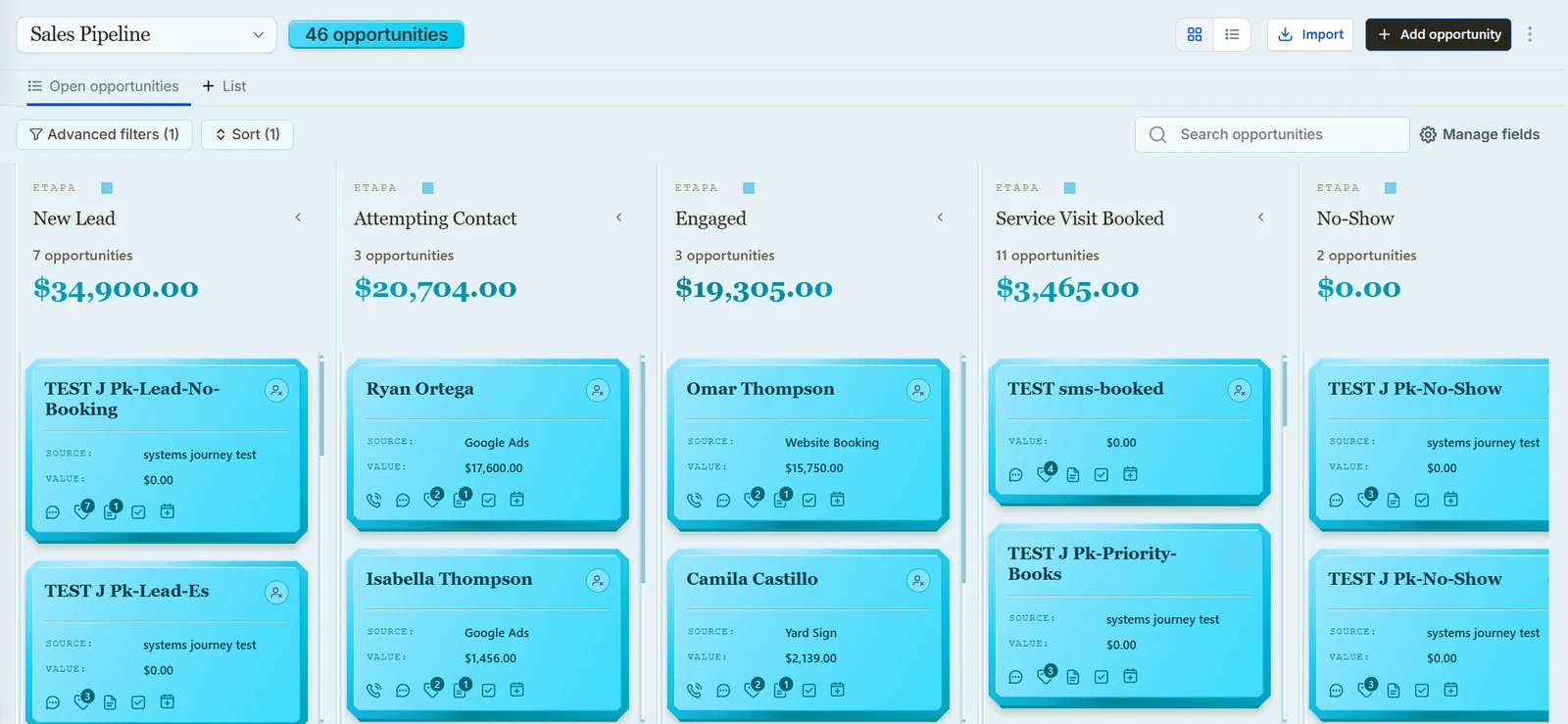
This is the job list I build against:
- Every call and form lead lands in one place with its source.
- A first reply within minutes, by text, call or AI agent.
- Booking onto the right calendar.
- Estimate follow-up that stops when the customer answers.
- Recovery for no-shows and "not now" answers.
- Maintenance tune-up reminders on a cycle.
- A referral ask after good jobs and a recovery path after bad ones.
If a field or a tag doesn't serve one of those lines, I leave it out.
Step 4: Build the follow-up workflows
These are the logic workflows built on that base:
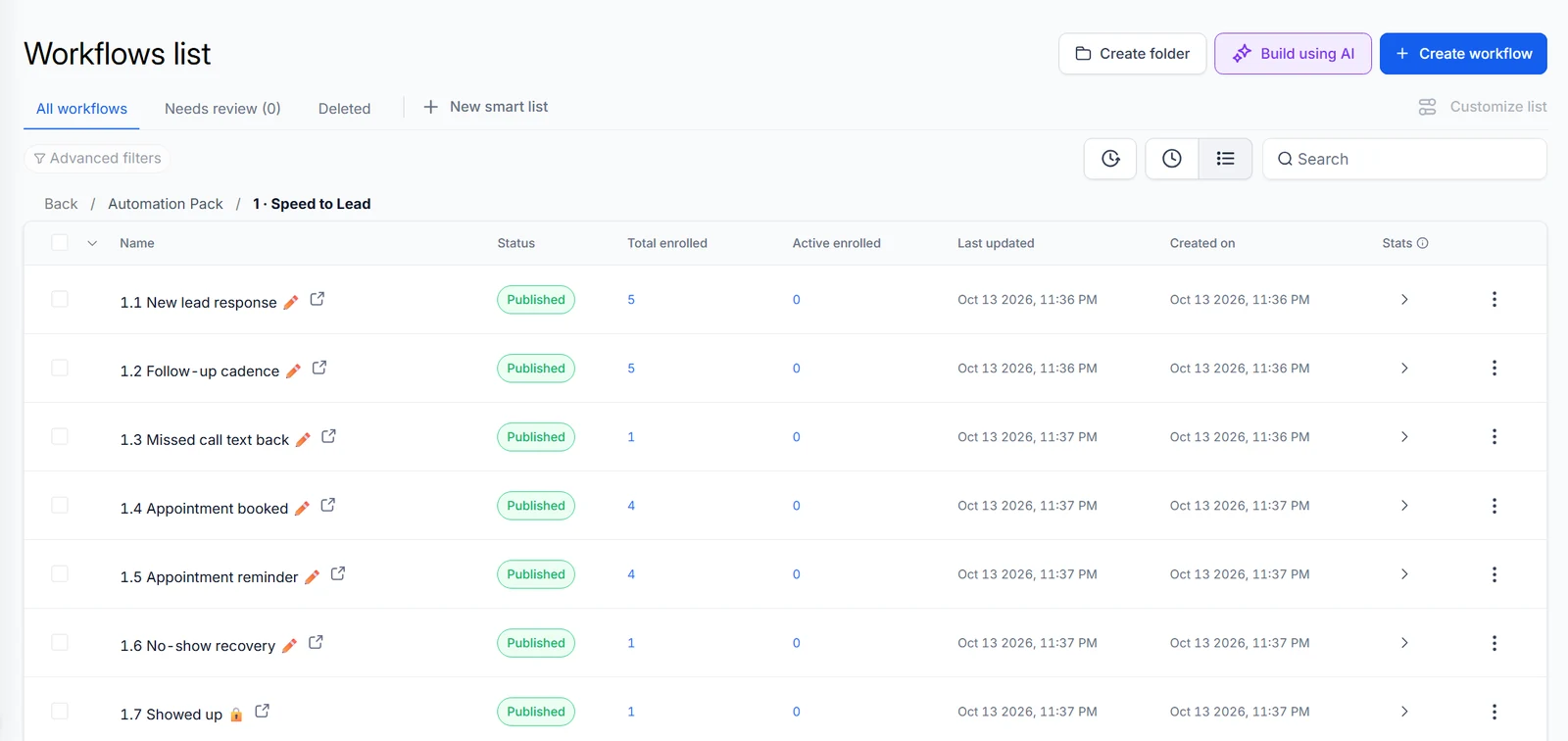
- Leads who don't pick up get a call cadence, capped at 6 attempts.
- Open estimates get a follow-up sequence. A "sequence lock" field stops it from overlapping with any other sequence on the same contact.
- "No" answers are sorted by reason, and each reason has its own workflow.
- No-shows get a weekly touch for 3 months (12 in total). A rebook, a reply or a stage change ends it.
- Past customers cycle through tune-up reminders.
- Referrals have an ask step and a reward step.
- Reviews split two ways: thanks for a good rating, service recovery for a bad one.
In numbers: 25 logic workflows published with 0 failures, and 31 workflows active in total. The client roadmap covers 31 live workflows and 39 emails. I don't have call volume or booking counts for this client, so I won't quote any.
Step 5: Connect the CRM to your field tool
There are three practical ways, and the right one depends on what your field tool exposes.
- A connector such as Zapier. Jobber lists Zapier among its integrations.
- The vendor's API. Housecall Pro's HVAC page lists open API access on its MAX plan.
- A webhook from a GoHighLevel workflow into n8n, which then talks to the field tool's API.
Whichever you pick, decide which system owns each piece of data. My suggestion: the field tool owns job status, and GoHighLevel owns the follow-up stage.
One warning from a different industry. I replaced a six-Zap bridge between a mortgage brokerage in Florida and its loan origination system (LOS). The Zap filters had dropped 9 records in 7 days, and Zapier counted every one as a success.
Nobody got an alert. If a connector sits between your phone calls and your CRM, ask how it reports a record it skipped.
The other direction works as a poll. For a portable storage company in Alabama I built a bridge that checks the company's operations software every 20 minutes and sends one review request per customer when an order completes. The same idea fits an HVAC job marked complete in the field tool.
Step 6: Test every path with a test contact
Before calling the HVAC build done, I walked an isolated test contact through it end to end. A 3-month recovery sequence can't be tested on the calendar, so during tests the waits are skipped and each step's log is read instead.
Use this as a checklist on any HVAC account, in this order:
- Re-entry on every recurring workflow. If re-entry is blocked, a customer who comes back next season gets nothing. My build tool defaulted to blocking it on this account.
- One sequence per contact at a time. That is what the sequence lock is for.
- Tag triggers that can fire again. A tag the contact already has won't start anything, so remove it before re-adding it.
- Waits a person can read. The client was annoyed to find waits named "1440 minutes" in the builder. Say "1 day".
- Plain characters in copy. Em dashes came out garbled after passing through a proxy, so the copy went plain ASCII.
- Edits by workflow ID. A rename through a name-matching tool left a second, published copy.
The same habits run my niche demo accounts. Each has 30 fake contacts set to do-not-disturb, and in one round 268 journey tests passed across all eight, HVAC included. How I test GoHighLevel workflows explains the method.
Step 7: Register texting before you rely on it
The texting registration for this company was rejected, with codes 30909 and 30891. So email carries the follow-up first, and the SMS steps sit in the workflows until texting works. What caused the codes on this account and whether it was later approved aren't in my records.
The GoHighLevel A2P 10DLC guide explains what those two codes mean in general and what to check before you submit. For an HVAC company the practical rule is simple: never make a flow depend on a text arriving until the registration is approved.
Step 8: Add up the real cost
These are the prices shown on the vendors' pages on October 14, 2026.
| Tool | What the page shows |
|---|---|
| HighLevel | Starter $97 a month (3 sub-accounts), Unlimited $297, Agency Pro $497. Email, SMS, calls and AI agents bill by usage on top |
| Housecall Pro | Basic, Essentials and MAX plans, shown with promotional prices and a monthly or annual toggle, so check the live page |
| Jobber | No prices on the HVAC page, free trial and demo |
| ServiceTitan | No prices on the HVAC page, demo request |
| HVAC Automation Pack | $22, the system from my HVAC demo account as a GoHighLevel snapshot you install yourself |
HighLevel's Starter plan includes three sub-accounts, which is more than a single HVAC company needs. The usage charges matter more: every text, call minute and AI conversation adds to the bill.
The software fee is the small part. The larger cost is whoever designs and tests the workflows, which is why I'd ask to see a test run before paying anyone.
Step 9: Ask your builder six questions
These are the questions I'd ask any builder, including me:
- Can I see a test run with a test contact, including the execution log?
- Does every recurring workflow allow re-entry?
- Is texting registered, and what happens to the SMS steps while approval is pending?
- Which system owns the customer record, and what happens when the two disagree?
- Is the email and SMS balance funded? With an empty agency wallet, some steps are skipped and nothing alerts you.
- If n8n is part of the setup, who gets an alert when a flow fails, and is the error workflow published? An unpublished error workflow never runs.
A good builder answers these on the first call. The GoHighLevel expert hiring checklist goes through the rest. For the wider picture, see the industry page for home services and the post on home service CRM.
FAQ
Is GoHighLevel a good CRM for HVAC companies?
It fits when your problem is follow-up: missed calls, estimates that go quiet, no-shows and maintenance reminders. It is not a dispatch board or a pricebook, so I'd pair it with field service software.
Can GoHighLevel replace ServiceTitan, Jobber or Housecall Pro?
Not for dispatch, routing, the pricebook or invoicing, which those tools describe as their core. For a very small crew, the follow-up inside Housecall Pro or Jobber may be enough, and then you don't need GoHighLevel at all.
Do I need A2P registration to text HVAC customers?
For texts to US numbers from 10-digit local numbers, yes. This client's registration was rejected, so email went first and the SMS steps wait. The A2P guide linked in Step 7 lists what reviewers check.
Is there a ready-made HVAC setup I can install?
Yes. The HVAC Automation Pack is the system from my HVAC demo account, packaged as a GoHighLevel snapshot for $22. It is built for owners or agencies who install it themselves.
Can an AI receptionist book HVAC calls without a CRM?
It can. In the case above, the receptionist booked onto a dispatch board before the CRM workflows existed. You still want a CRM behind it for everything that happens after the call.
About the author

Carlos Familia, CRM & AI automation expert. GoHighLevel, n8n, AI agents, servers. Full-stack developer.
I build CRM systems in GoHighLevel, n8n automations on my own servers and AI voice and chat agents for service businesses. Full-stack developer: I write the workflow, the API integration, the database and the server it runs on, and I test every build with real journeys before handoff.
Book a call with Carlos
In 30 minutes we look at how you get customers today and what to automate first. Pick a time · contact@bluemiraisystems.com