Home Service CRM for Plumbers and Electricians: A Decision Guide
Which home service CRM setup fits your shop? A decision guide for plumbers, electricians and contractors, built on real GoHighLevel jobs and vendor pages.
By Carlos Familia, CRM & AI automation expert. Updated . 7 min.
The owner of a water treatment company in New York asked me for two systems in one GoHighLevel sub-account: one for sales and one for recruiting technicians. The account already ran another vendor's pipelines and a voice agent, so I couldn't start clean.
The first thing that broke was not a workflow. The location had "no duplicate opportunities" switched on, and my create calls came back with a 400 error.
That job taught me that a home service CRM is never one decision. It is a set of small ones, and the right answer depends on which problem is costing you jobs today.
Field service software (Housecall Pro, Jobber, ServiceTitan) is the right first move when scheduling and getting paid are the pain. A follow-up layer like GoHighLevel is the right move when calls, estimates and reviews slip. The branches below show which one fits you.
If your biggest pain is scheduling, dispatch and getting paid, then start with field service software
Plumbing shows what these tools are good at. Housecall Pro's plumbing page describes routing the nearest plumber to an emergency, a live crew map, "On My Way" texts, 24/7 online booking and a drag and drop calendar. For estimates it lists good, better and best options for water heaters and repipes, a flat-rate price book and progress invoicing for multi-day jobs. It also mentions photo reports for sewer camera work, and its CRM section lists drain-cleaning and recertification reminders, follow-up campaigns and automatic review requests. If that built-in follow-up covers you, you may not need a second system.
Its plans run from Basic for one user up to team plans. Prices on the page change with promotions and with monthly or annual billing, so I'm not quoting one here. Electricians will find the same split between the field tool and a follow-up layer, so read the vendor's own electrical page before you decide.
GoHighLevel is not where I'd build dispatch or a price book. Don't pay someone to rebuild them there.
If you miss calls or answer slowly, then fix the phone before the CRM
A CRM can't follow up on a call nobody answered. Two fixes come first. A missed call text back texts the caller within moments, and an AI receptionist answers and books on the spot. For an HVAC company in California I built the receptionist first, and the CRM came second.
Both need a decision on texting. Business texts from a local US number need an approved registration first, so read the GoHighLevel A2P 10DLC guide before you promise anyone a text. The mechanics of the receptionist are in how AI receptionists work.
If your estimates go quiet, then follow up by reason
"Not now", "too expensive" and "getting a second quote" need different messages. In the water treatment build I wrote 19 nurtures, each keyed to a reason.
I also added 4 transition workflows so a lead moves on its own. What they do:
- An inactive hot lead drops to long-term after 14 days.
- A long-term lead gets a check-in every 35 days.
- A lead with a ready date goes back to hot when that date arrives.
The HVAC build used the same idea, with one workflow per objection reason. The HVAC CRM post shows that version.
Two guards keep this from turning into spam. The follow-up should stop the moment the customer answers. And when several sequences can reach one contact, give the contact an owner: the HVAC build uses a "sequence lock" field for that.
If customers book and then don't show, then recover them for a fixed window and stop
The HVAC company's no-show recovery sends one message a week for three months, twelve in total. It exits when the customer rebooks, replies or changes stage, so nobody who already came back keeps hearing about the missed visit.
New leads who never pick up get a separate cadence: up to 6 call attempts. Both numbers are decisions you make once, in writing, instead of leaving them to whoever remembers.
If you sell recurring service, then build a maintenance cycle
Drain cleaning, recertification, tune-ups and service plans all repeat. Housecall Pro's plumbing page lists membership plans and those reminders for exactly this. In GoHighLevel I'd build the same cycle as a workflow that waits, sends a reminder, books the visit and starts over after the job.
The detail that matters is re-entry. A workflow that blocks re-entry never reminds the same customer twice, which defeats the point of a cycle. Check that setting on every recurring workflow.
If you are hiring technicians, then give recruiting its own pipeline
The water treatment owner also wanted job applicants from Indeed inside the CRM. I built an n8n flow that parses the Indeed emails into a hiring pipeline. It is idempotent, which means re-running it never creates a second record for the same applicant.
For intake I also built a small forms app that writes a contact, an opportunity and a note in one step.
Keep recruiting out of the sales pipeline. I built two pipelines of 12 stages each so sales and hiring never mixed. One catch from this account: the location was set to block duplicate opportunities, and that setting is what returned the 400 errors from the opening. Check it before you design anything that depends on it.
If you want more reviews, then ask every customer
Asking only your happiest customers is review gating. Google's review policy lists "selectively solicit positive reviews" among the things merchants may not do, next to offering incentives for reviews.
So I filter by rating only when thanking, never when asking. The HVAC build has both a thank-you path and a service recovery path for reviews. A portable storage company in Alabama gets its requests from a bridge I built: every 20 minutes it polls the company's operations software, and a completed order sends that customer one review request, once.
If you are leaving an agency or a franchise account, then scan before you move anything
The same Alabama company was losing access to a franchise sub-account that the franchise wouldn't migrate. I cloned it across agencies by API into a fresh sub-account:
- 239 custom fields and 27 custom values
- 114 tags
- 4 pipelines with 30 stages
- 65 workflows, as drafts, and 96 triggers
An integrity scan of 79 workflows found 3 real problems, all of them already broken in the source account. The first migration run landed in the owner's live business account instead of a new one. So ask your builder to confirm the destination account by name before any clone runs.
Ask for the scan, too. Cloned steps that add or remove a contact from another workflow keep the source account's workflow IDs and fail silently. Opening and saving a migrated trigger in the editor erases those orphan IDs and destroys the evidence, so the scan has to run before anyone touches the triggers.
If your account already has another vendor's automations, then map them before you add yours
On the water treatment job, the existing pipelines and voice agent stayed in place, and my systems ran beside them. Before you add anything, list what is already live: pipelines, workflows, agents and account settings, like the duplicate-opportunity one that stopped my first calls.
The duplicate-opportunity setting also bit a mortgage account I worked on: the option that allows a second opportunity per pipeline switched itself off within about two hours, and a real repeat client broke. If your flow depends on a setting, add a check that watches it.
If "contractor" means long remodel projects, then this is the wrong category
Budgets, subcontractors and change orders over months belong to project management software. This guide covers service businesses that book calls, quote, visit and follow up. For roofing, read roofing CRM.
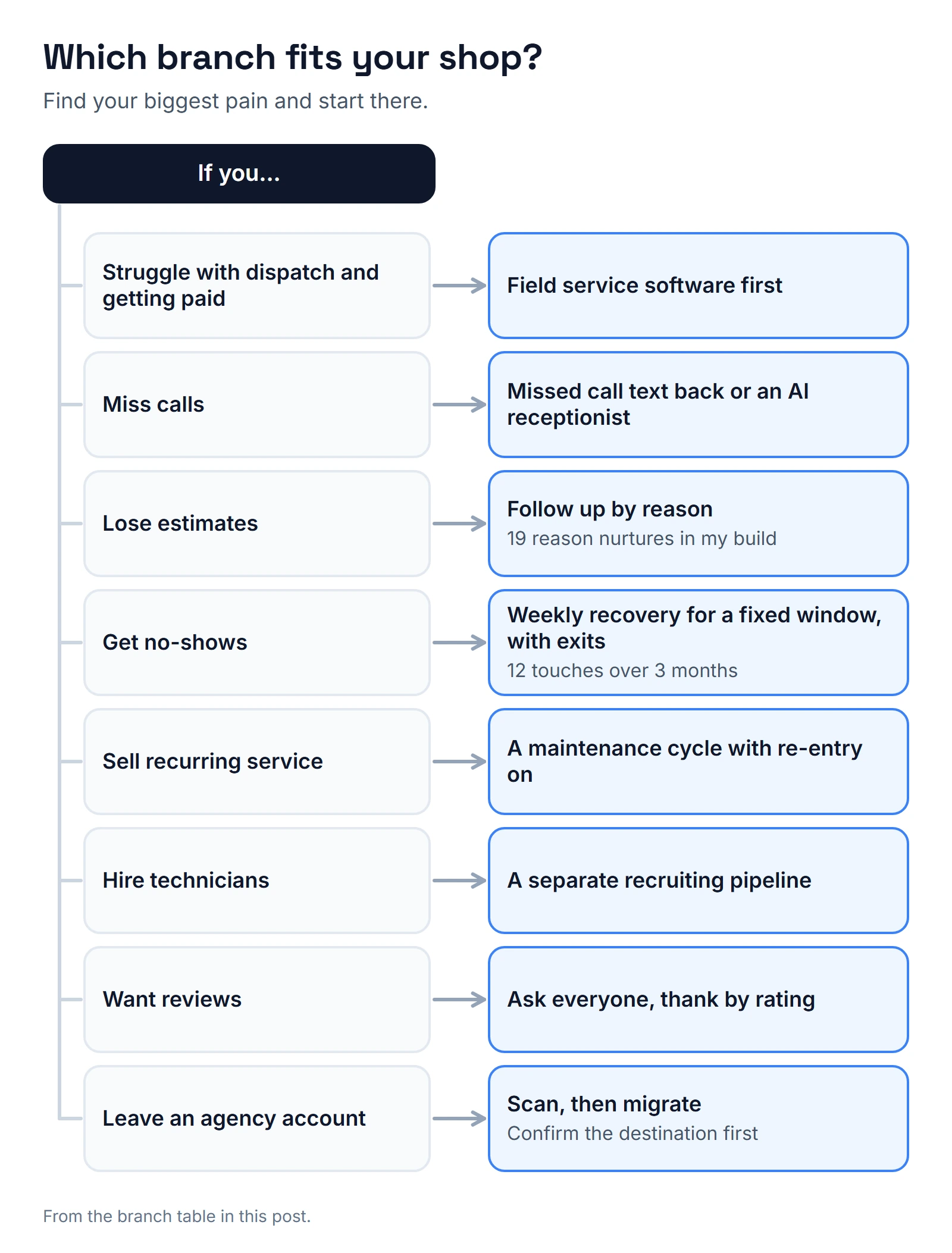
Which branch fits you?
| If you... | Then... | Where to start |
|---|---|---|
| Struggle with dispatch and getting paid | Field service software first | Housecall Pro, Jobber or ServiceTitan |
| Miss calls | Missed call text back or an AI receptionist | Missed call text back |
| Lose estimates | Follow-up by reason | 19 reason nurtures in my build |
| Get no-shows | Weekly recovery for a fixed window, with exits | 12 touches over 3 months in the HVAC build |
| Sell recurring service | A maintenance cycle with re-entry on | HVAC CRM |
| Hire technicians | A separate recruiting pipeline | Indeed emails parsed by n8n |
| Want reviews | Ask everyone, thank by rating | Google's policy |
| Leave an agency account | Scan, then migrate | Confirm the destination first |
The GoHighLevel side starts at $97 a month for Starter on HighLevel's pricing page, with texts, calls, email and AI agents billed by usage on top. For the wider picture, see the home services industry page, and use book a call if you want me to look at your account.
About the author

Carlos Familia, CRM & AI automation expert. GoHighLevel, n8n, AI agents, servers. Full-stack developer.
I build CRM systems in GoHighLevel, n8n automations on my own servers and AI voice and chat agents for service businesses. Full-stack developer: I write the workflow, the API integration, the database and the server it runs on, and I test every build with real journeys before handoff.
Book a call with Carlos
In 30 minutes we look at how you get customers today and what to automate first. Pick a time · contact@bluemiraisystems.com