Roofing CRM: 8 Myths About GoHighLevel and Roofing Software
Roofing CRM myths tested on a real build for a roofer in Kentucky: what GoHighLevel does, what AccuLynx-style job tools do, and what breaks in practice.
By Carlos Familia, CRM & AI automation expert. Updated . 7 min.
The owner of a small roofing company in Canada asked r/Roofing which software to commit to before growing. The company had used Jobber and Housecall Pro, was running JobNimbus, and was weighing Roofr and AccuLynx. The owner liked parts of each one. The summary was blunt: "No software seems to have it all." Paying for several tools looked inevitable.
I think that roofer is right, and a roofing build of my own showed me why. A roofing company needs two kinds of help. A job tool handles measurements, material orders, production and crews. A lead tool handles the first reply, booking and follow-up, which is where I use GoHighLevel. Many roofers need both, and some only need the job tool. Below are eight beliefs that don't hold up, with the evidence from that build.
Myth: One roofing CRM will cover everything
Some tools come close on the job side. AccuLynx's homepage describes an all-in-one platform for sales, production, finance and operations. It lists AI-powered lead intelligence, estimates from measurement data with live material pricing, custom sales proposals, a drag and drop production calendar, crew tools, automated SMS, custom workflow tools, financing and online payments. Its integrations include ABC Supply, SRS Distribution, QXO, EagleView, CompanyCam and QuickBooks.
That is a deep job tool, and its sales side may be all the lead handling some roofers need. JobNimbus is the other name roofers bring up. Its site wouldn't load for me while I wrote this, so I'm not describing it secondhand. Check its current feature list yourself.
| Job | What AccuLynx lists | GoHighLevel (how I use it) |
|---|---|---|
| Measurements and material orders | Measurement data, aerial measurement integrations, direct supplier ordering | I don't rebuild it |
| Production calendar and crews | Drag and drop calendar, crew tools | I don't rebuild it |
| Leads and proposals | Lead intelligence, custom sales proposals | Instant reply, quiz funnel, booking widget, chat bot |
| Automated follow-up | Automated SMS, custom workflow tools | Waits, branches, tags and pipelines across text, email and chat |
| Price shown | Custom quote, monthly fee per license | Starter $97 a month, usage billed on top |
HighLevel's other plans are Unlimited at $297 and Agency Pro at $497 a month. Texts, email, calls and AI agents add usage charges to any of them.
My test for which half hurts more: ask what happens to a Facebook lead at 9 pm on a Sunday. If it gets a reply within minutes, you're covered. If someone sees it Monday, the lead half is your problem, and buying a second job tool won't fix it.
Myth: A roofing CRM should text every lead the second it arrives
Texting US numbers from a local number needs an approved registration first. The roofer I built for in Kentucky didn't have one, so the account ran on email and the chat bot.
That build left me with a rule. A "no reply cancels the appointment" step goes live only after registration is approved, because a text that never arrives looks exactly like a homeowner who never answered. The GoHighLevel A2P 10DLC guide covers the checks. A missed call text back has the same dependency.
Once texting is approved, the reply flow is cheap to run. A "customer replied" trigger can branch on an exact phrase, one phrase per trigger. YES confirms the inspection and NO cancels it. Until then, confirmations go by email and through the chat bot.
Myth: If the workflows are built, the follow-up is working
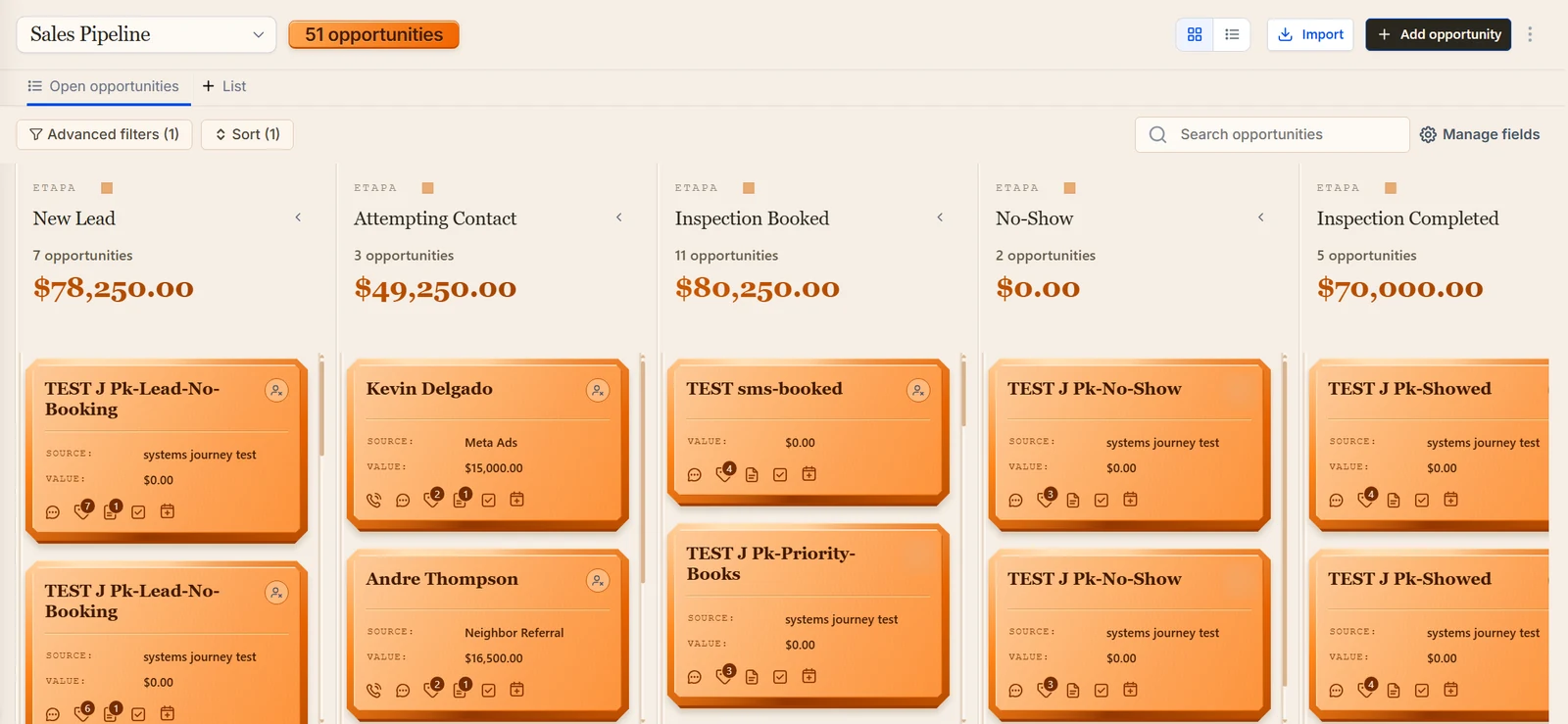
Here is the Kentucky build. Facebook ads sent inspection leads into a 10-stage pipeline. I built stage workflows, team alerts and confirmation and reply workflows, numbered 01 to 14, plus an Instagram chat bot and the YES or NO confirmation.
Then I checked what could actually reach a homeowner. Texting wasn't approved, so only email could go out, and the email balance was empty. The chat bot was still in test mode. It was a complete roofing CRM with no working channel. That's also why I have no conversion numbers for it.
Two more problems hid behind "built" on that account:
- A test-mode string leaked into a message to a lead.
- The account time zone was Eastern for a business that runs on Central time.
A related trap from other builds: if the agency wallet runs dry, premium steps such as custom webhooks are skipped with no error, and you only see why inside that step's log. I now read a real run's logs before I call anything done.
Myth: A sequence knows when to stop
It only stops where you tell it to. On the roofing build:
- Re-entry was off, so returning leads never got a sequence.
- The reschedule path had no exit.
- Nurture emails kept going to clients who had already booked.
- Stop-on-reply ended sequences and told nobody.
All four were fixed. What to ask your builder: does every sequence have an exit on booking, an exit on reply that creates a task or alert, and re-entry for returning customers?
Myth: Tag rules do what they look like they do
Two traps cost me time here. A segment that uses OR across three "does not have tag" checks is always true, because no contact carries all three tags at once. "None of these tags" needs AND.
The second trap: a "tag added" trigger reacts to a new tag only. If the contact already has it, adding it again fires nothing, so the tag has to come off before it goes back on.
Myth: A chat bot cloned from another industry only needs a new name
I cloned the Instagram bot from a router I had built for a med spa and rewrote it for GoHighLevel's native calendar (free slots, book, reschedule, cancel). The clone still carried the med spa's service list and vocabulary until I rewrote it.
The roofing bot also got a warranty knowledge base built from the manufacturer's guide. It states exactly what the bot may and may not claim about warranties. A roofing bot that improvises on warranty terms is a liability.
Building the clone also taught me to search every page of results before creating anything. An unpaginated search in n8n missed the workflow that already existed, and I ended up with a duplicate webhook workflow.
Myth: Bilingual just means translating the templates
Translation is the easy part. The failure I saw on a mortgage account: mixed language tags sent Spanish reminders to English speakers. I moved 33 contacts to a single language tag, so each contact has one language and every workflow reads it.
The Kentucky roofer's build was bilingual too, and the same rule applies. One language tag per contact, and every English and Spanish branch reads that one tag.
Myth: Facebook leads always arrive in the CRM
They don't, and roofers who run Facebook ads feel this first. For an insurance agency in Puerto Rico, unmapped Facebook lead forms were dropping leads. Mapping them backfilled 39 stuck leads in about 3 minutes, and those backfilled leads did not fire any workflows.
For a med spa in Pennsylvania I checked the chain against live data before building. In 14 days there were 58 form leads with a phone number, and none had been called. Of 45 recent Facebook contacts, 42 had no tags when they were created, and the feed that should have reported new form leads had been dead for weeks.
Speed has its own trap. Facebook lead-form leads can create two contacts, and GoHighLevel merges them 1 to 2 seconds after the webhook fires. A fast reply goes to a contact that no longer exists. On a med spa build in New Jersey, the fix was to wait a moment and look the contact up again by phone or email.
On the roofing build, the Facebook ads quiz captured partial leads and then sent the visitor to the booking widget with name, email and phone already filled in.
What should a roofer do instead?
Decide which half of the business is leaking, leads or production, and buy for that half first. Then list the channels that can really send today, map every lead form and count how many form leads got a first reply. Put an exit on booking, reply and stage change in every sequence, and walk a test contact through each path while you read the logs. My guide to testing GoHighLevel workflows shows the method.
If you'd rather start from a tested build, the roofing Automation Pack costs $22. It is a GoHighLevel snapshot of the system in my roofing demo account, which I test with seven other niche demos (268 journeys passed across the eight in one round). For the wider setup, see the home services industry page, the post on HVAC CRM and the broader home service CRM guide.
About the author

Carlos Familia, CRM & AI automation expert. GoHighLevel, n8n, AI agents, servers. Full-stack developer.
I build CRM systems in GoHighLevel, n8n automations on my own servers and AI voice and chat agents for service businesses. Full-stack developer: I write the workflow, the API integration, the database and the server it runs on, and I test every build with real journeys before handoff.
Book a call with Carlos
In 30 minutes we look at how you get customers today and what to automate first. Pick a time · contact@bluemiraisystems.com