Dental CRM on GoHighLevel: A Letter to Practice Owners
A dental CRM on GoHighLevel should run missed-call texts, recall, reactivation and reviews beside your practice software. Here is what I'd set up first.
By Carlos Familia, CRM & AI automation expert. Updated . 7 min.
A thread on r/DentalAssistant asked what gets dropped first when a dental front desk gets slammed. Someone who had worked a front desk for a few months said recall was the part that never got caught up: the packets of patients to call just kept coming. A dentist answered with the order a practice coach had taught the team. Patients at the desk come first, the ringing phone right behind them, insurance third. "Any overdue hygiene or tx calls are last."
That order is right for people. It is also the list of work a CRM should take off their desk.
If you own a one-location dental practice where the same front desk answers the phone, checks patients in and chases insurance, this letter is for you. A dental CRM on GoHighLevel should run the conversations around the chair, not the chart. Start with five jobs: text back missed calls, follow up on new patient inquiries, confirm appointments with a reply, bring back patients who stopped coming, and ask for reviews. Your practice management software keeps the schedule, the clinical record and the ledger.
Do you still need your practice software?
Yes. Dentrix, Eaglesoft and Open Dental are examples of the software I mean. GoHighLevel sits beside it as the messaging and follow-up tool for your front desk.
Whether your software can send data to GoHighLevel depends on the product and your plan. I have not built a sync with any dental practice software, so I won't promise one. Ask your vendor what it can export before you budget for a connection.
If it can't connect, the CRM can still run on booking requests and a patient list your front desk keeps current. A California med spa I built a receptionist for runs a version of this. It books in a separate system, so its AI receptionist captures booking requests instead of writing into the schedule.
What should your front desk hand over first?
Five things, in this order.
- Missed calls. A text goes out when a call goes unanswered, and my missed call text back guide has the wording. Register for A2P before you count on it. When A2P was rejected for an HVAC company in California, SMS went on hold and email went first. The GoHighLevel A2P guide explains what got brands approved.
- New patient inquiries. Busy desks lose these quietly. One med spa in Pennsylvania got 58 form leads with phone numbers from Facebook in 14 days, and nobody had called a single one. The med spa speed to lead case study shows how I fixed that.
- Confirmations with a reply. "Reply YES to confirm" works because GoHighLevel can branch on an exact phrase. If silence cancels the visit, make sure your texts arrive first. The lesson came from a roofing build in Kentucky: a rule like "no reply cancels the appointment" cancels every booking when the texts never arrive. If many of your patients live on WhatsApp, use it. For an OB-GYN practice in the Dominican Republic I built WhatsApp-first confirmations: reply 1 to confirm, 2 to reschedule. SMS there was expensive and had no local numbers.
- Reactivation. This is the recall stack from that thread. The coach there gave one team member hygiene recall and another the unfinished treatment, split into smaller weekly lists. A CRM can work the same lists without the paper. For an HVAC company in California I built a no-show recovery that sends one message a week for 12 weeks and stops itself the moment the person rebooks, replies or changes stage. Lapsed patients can follow the same logic. A "sequence lock" field keeps two sequences from texting the same person at once.
- Reviews. Ask every patient who finished a visit. Filter by rating only when you thank someone, never when you ask. The mortgage account I audited asked everyone and thanked only ratings of four stars or more. Skip discounts for reviews: Google's policy page on incentivized reviews says that offering incentives in exchange for reviews undermines content integrity.
What breaks when you text patients?
Three failures I have seen, each with the question to ask your builder.
A returning patient never gets the reminder. I hit this in a roofing build and an HVAC build. The workflow did not allow re-entry, so anyone who came back got nothing. Recall patients are returning patients by definition. Ask: "Can the same person enter this workflow twice?"
Patients get the same message two or three times. At a Spanish-language wellness clinic, each workflow moved the stage and only then added its guard tag, a second later. The stage change started the next workflow before the tag existed. Tagging first and moving second fixed it, and I cleaned 31 contacts out of the four workflows. Ask: "In what order do the tag and the stage move happen?"
A failed text silences a patient for good. If a text bounces with a carrier error, GoHighLevel can turn on SMS do-not-disturb for that contact. A bot that treats do-not-disturb as "STOP" then opts the patient out forever. Ask: "What happens to a patient whose first text fails?"
How do you test it before a real patient gets a text?
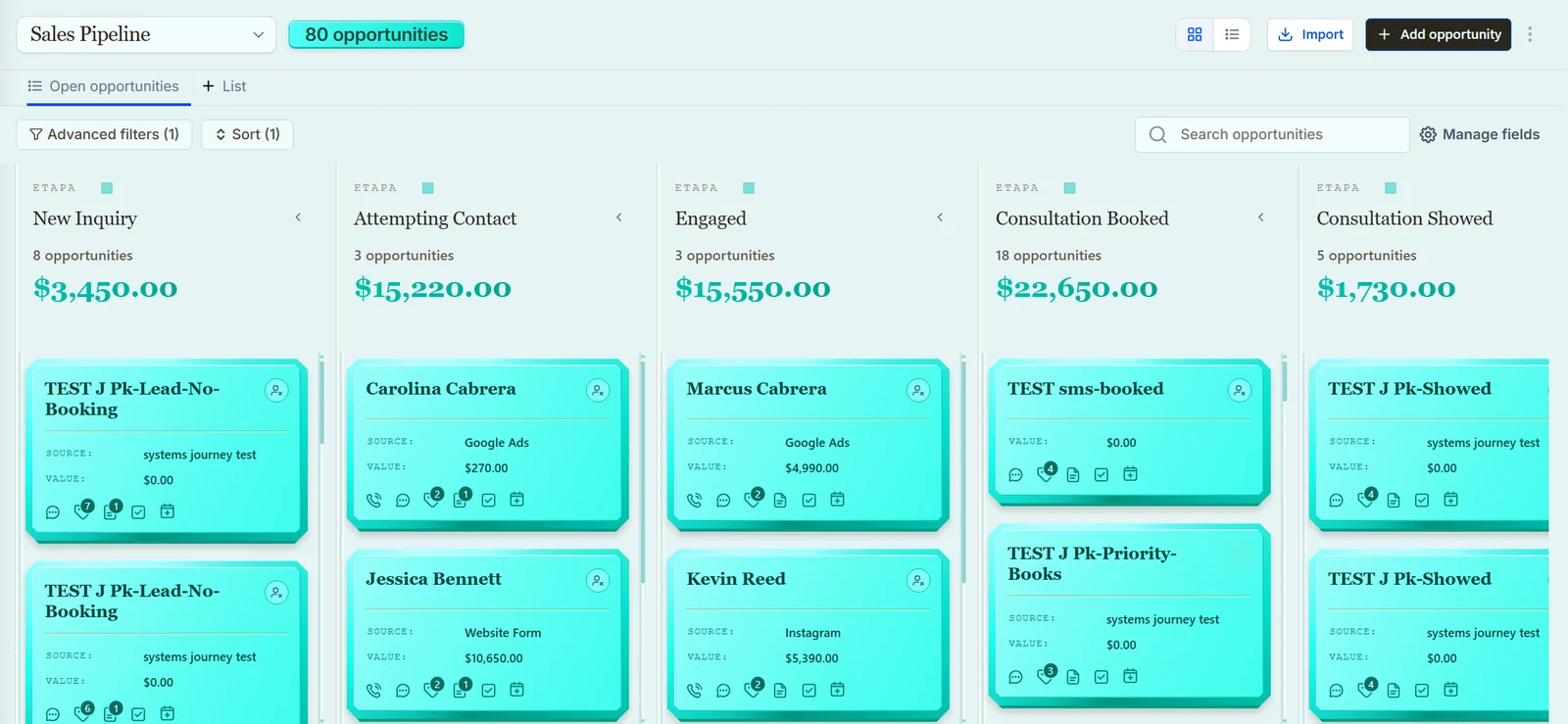
You send fake patients through every path. I built a dental demo account in GoHighLevel with 30 of them, every one with do-not-disturb switched on so no real phone could ring. Then I pushed them through the confirm, remind, no-show and missed-call paths. In the second round of testing, 268 journeys passed across my eight demo accounts, and the dental account has 69 workflows.
The tests showed me three things no sales page mentions. GoHighLevel keeps writing "condition: success" rows while a contact waits, so the newest log line does not tell you where the patient is. Workflows that start from a tag can start late when the account is busy. And a workflow that fails to publish leaves a draft with the same name as the live one.
Those details decide whether a reminder goes out once, late or twice. I wrote up the method in how I test GoHighLevel workflows.
Each demo account also has English and Spanish branches, a niche pipeline and custom fields, an email system and a five-phase SMS system with a pause loop, a duplicate guard and a language router. If you want the finished system, the dental automation pack is a GoHighLevel snapshot with those workflows for $22. You install it yourself or with your agency.
What about HIPAA and patient information?
I can't tell you your setup is compliant, and I don't make compliance claims for any setup, mine included. That call belongs to your compliance advisor. Here is what the official pages say.
HighLevel's help article on HIPAA (last modified June 11, 2026) says plainly that HighLevel accounts are not HIPAA compliant by default. HIPAA is an optional, paid add-on, listed there at $297 per month, and the article says it cannot be disabled once purchased. The package includes a business associate agreement (BAA), encryption of ePHI, audit logging and MFA enforcement.
The same article names the practice as the covered entity, and HighLevel and the agency as business associates. It also says your agency must itself comply with HIPAA before it can give your practice a BAA.
The federal rule behind that is 45 CFR 164.502. A covered entity may disclose protected health information to a business associate once it obtains satisfactory assurance that the information will be safeguarded. That assurance has to be documented in a written contract or other written agreement. So ask every vendor that touches patient information whether it will sign one.
If your agency runs one app across several practices, also ask how they prove that one practice cannot read another's records. Ask to see the test, not a promise.
Separately from the legal question, I would keep clinical detail out of the CRM. Store scheduling data and a reason category, not diagnoses or treatment notes. Confirm with your advisor what you may store.
Should you buy the pack or hire someone?
Install the $22 pack if you want the reminders, no-show recovery, missed-call text and review requests running and you can do light edits yourself.
Hire someone when you need A2P registered, a patient list migrated, a connection to your practice software, or an AI dental receptionist. My checklist for hiring a GoHighLevel expert shows what to ask first. More on healthcare builds is on the healthcare page, and the calendar below is open if you want to talk through your practice.
P.S. If you do one thing this week, send a fake patient through your own confirmation text and read the result. It tells you more than any demo.
About the author

Carlos Familia, CRM & AI automation expert. GoHighLevel, n8n, AI agents, servers. Full-stack developer.
I build CRM systems in GoHighLevel, n8n automations on my own servers and AI voice and chat agents for service businesses. Full-stack developer: I write the workflow, the API integration, the database and the server it runs on, and I test every build with real journeys before handoff.
Book a call with Carlos
In 30 minutes we look at how you get customers today and what to automate first. Pick a time · contact@bluemiraisystems.com